Accent Color
GitHub
NEW ARCHIVE 2026

Streamlining daily workflows
for developers and creators.

"Apps of Tsugawa.TV" is a curated library of lightweight, secure, and focused plugins and utilities designed to optimize web development and day-to-day workflows. Starting with our flagship WordPress plugin, "Tsugawa Magic Back to Top," we publish tools built from real-world development needs. All programs are open-source and free to use.

bash - plugin-install
$|

Products

Explore our open-source software and WordPress plugins.

WordPress Plugin Available

Tsugawa Magic Back to Top

A ultra-lightweight, highly customizable WordPress plugin to return to the page top beautifully.
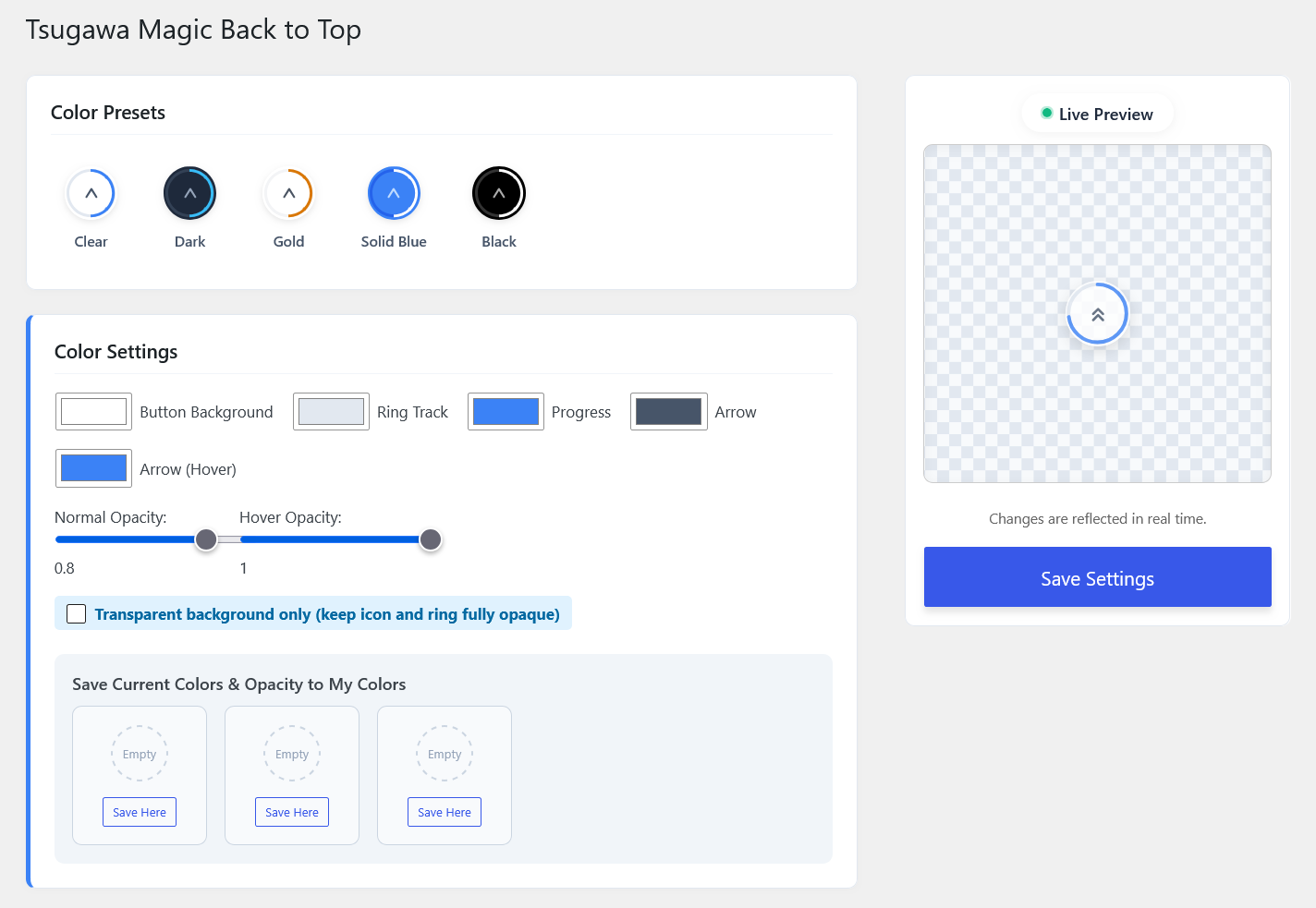
Tsugawa Magic Back to Top UI - English
Smooth Scroll Behavior Zero jQuery dependencies. Features a pleasant, acceleration-tuned smooth scroll animation for an optimal user experience.
Infinite Customization Fine-tune button style, opacity, position, and scroll trigger points directly from the WordPress dashboard.
Outstanding Performance Extremely lightweight and performance-optimized. Will not impact your website's loading speed.
Latest Version v1.0.3
WP Requirements WP 6.0+ (PHP 7.4+)
License GPL v2 / MIT

WordPress Plugin Available

Tsugawa YT Insights

A WordPress plugin integrating YouTube Data & Analytics APIs to automatically analyze channel data.

Tsugawa YT Insights UI
Hybrid API Analytics Integrates Data and Analytics APIs to evaluate upload patterns and performance trends from channel metrics.
Automated Setup Guide Features an intuitive setup guide that makes obtaining API keys and OAuth configuration hassle-free.
Frontend Dashboard Output a clean, sophisticated analytics dashboard directly onto any post or page with a simple shortcode.
Latest Version v1.0.2
WP Requirements WP 6.0+ (PHP 7.4+)
License GPL v2 or later

Next Utility Project

Our next utility app to streamline WordPress development and general web production.

Under Development
next-project.sh
$ next-project init
Scanning ecosystem plugins...
βœ” 14 helper utilities loaded.
βœ” Optimization engine running.
Next Gen Workspace ready.

Getting Started

A quick guide to installing and using our WordPress plugins.

01

Download File

Download the latest ZIP release from the GitHub repository (recommended) or check out the code directly using git clone.

02

Upload to Server

Extract the downloaded ZIP archive and upload it to your WordPress plugins directory (wp-content/plugins/).

03

Activate & Configure

Navigate to Plugins > Installed Plugins in your WordPress dashboard, click "Activate," and configure settings as desired.

FAQ

Frequently asked questions about installation and usage.

Yes. You are free to use them on personal blogs, corporate websites, and client production projects.

Yes. WordPress plugins are linked with GitHub releases, enabling one-click updates directly from your admin dashboard.

While many excellent plugins exist, we build alternatives to polish the fine details of user experience, UI aesthetics, and overall ease-of-use for daily operators.

Yes. We avoid dependencies on heavy libraries and optimize code execution to minimize page load impact.

All source code is managed on GitHub. Please submit bug reports or feature requests via the "Issues" page of the respective project repository.

Core features will remain free and open-source. However, we may offer advanced extensions and premium features as paid add-ons in the future.